 Qply
Qply
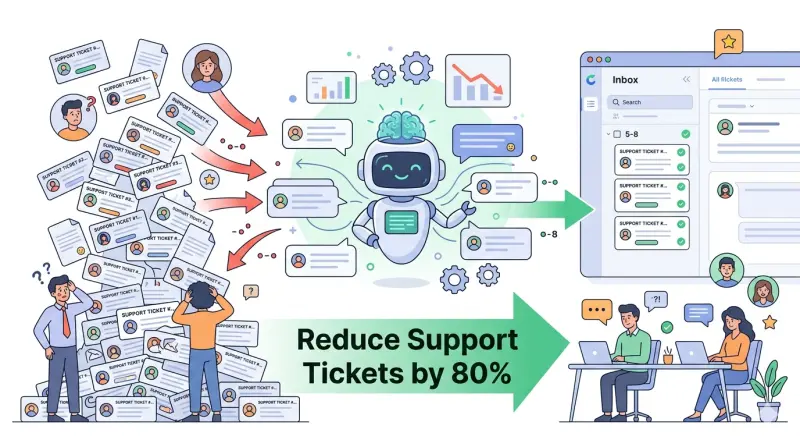
How AI Live Chat Cuts Support Tickets by 80% (With Real Examples)
The average support team spends 60–70% of their time answering the same questions over and over. Shipping timelines. Return policies. Password resets. Plan differences. These questions are completely predictable — and completely automatable. Yet most businesses still route them through the same ticket queue, paying support agents to type the same answer for the thousandth time.
AI live chat, powered by retrieval-augmented generation (RAG), changes this equation dramatically. When configured correctly, an AI chat widget can resolve the majority of incoming questions before they ever become a support ticket — reducing ticket volume by up to 80% and letting your team focus on the complex, high-value interactions that actually need a human touch.
This article explains exactly how that works, shows real before/after scenarios, and gives you a step-by-step setup guide using Qply.
Why Support Tickets Keep Piling Up
Before looking at the solution, it's worth understanding why ticket volume is so hard to control. There are three root causes:
1. Friction in the self-service path
Most businesses have the answers to common questions somewhere — a help center article, an FAQ page, a policy document. But visitors don't find them. The search function is too basic, the navigation is unclear, or the content is buried three clicks deep. When self-service fails, customers reach for the contact form.
2. No immediate answer at the moment of need
A customer on your pricing page at 11 PM has a question about whether your API plan includes webhooks. Your help center doesn't cover that specific question. Your team won't respond until 9 AM. By morning, they've either signed up for a competitor or submitted a ticket that requires a back-and-forth conversation to resolve.
3. Repetitive tickets that never get automated
Most support teams know which questions come in repeatedly. But building rule-based chatbots to handle them requires significant setup time, developer involvement, and ongoing maintenance as policies change. As a result, the automation never gets built, and the tickets keep coming.
Before configuring any AI, pull your last 30 days of support tickets and tag them by question type. In most businesses, 5–7 question categories account for 70%+ of total volume. These are your highest-priority knowledge base entries — add them first and you'll see the biggest immediate deflection rate.
How RAG-Powered AI Solves This
Traditional chatbots are rule-based: you define a set of intents and responses, and the bot matches keywords to those rules. This works for very narrow use cases but breaks down quickly when customers phrase questions in unexpected ways.
RAG (Retrieval-Augmented Generation) is fundamentally different. Instead of pattern-matching, the AI reads your actual documentation, FAQs, and knowledge base in real time and generates a precise, contextual answer. If a customer asks "Can I use your product if I'm on a Lite plan?", the AI doesn't need a specific rule for that — it retrieves the relevant sections of your pricing documentation and constructs an accurate answer.
The result: an AI that handles the long tail of customer questions, not just the top 10. And because it's grounded in your actual content, it doesn't hallucinate — it only answers questions it has the information to answer, and escalates everything else.
Real Scenarios: Before and After AI Live Chat
Customer submits a support ticket. Agent checks the platform, copies tracking number, pastes it into a reply. Customer waits 4–8 hours. Ticket resolved. Repeated 50+ times per day.
Customer asks in chat. AI retrieves order data via platform integration and replies with tracking info instantly. Zero tickets generated. Agent time freed for escalations.
Prospect submits a presales inquiry. Sales rep replies with a link to the pricing page they already visited. Conversion delayed by 6–24 hours. Some prospects drop off.
AI explains plan differences instantly on the pricing page, answers follow-up questions, and books a demo call via calendar link if the prospect wants to talk to a human. Conversion happens in minutes.
Patient calls the office or submits a web form. Receptionist looks up the accepted insurance list, replies by phone or email. High call volume. Staff overwhelmed during peak hours.
AI answers immediately using the accepted insurance list in the knowledge base. If the plan isn't covered, it escalates to a human and offers to schedule a follow-up call.
An AI that tries to handle everything will frustrate customers when it encounters questions outside its knowledge base. Configure clear escalation triggers — specific keywords, consecutive "I don't know" responses, or high-frustration signals — to hand off to a human gracefully. A good escalation experience is better than a bad AI answer.
How to Set Up Qply to Reduce Your Ticket Volume
Here is a practical setup sequence for getting the maximum deflection rate with Qply:
Step 1: Audit your top ticket categories
Log into your current support tool and export your last 60 days of tickets. Group them into categories. The top 5–10 categories are your knowledge base priorities.
Step 2: Build a comprehensive knowledge base
In your Qply dashboard, go to Knowledge Base and add entries for each ticket category. Be thorough — include edge cases and variations. The more nuanced your content, the better the AI handles unusual phrasings.
Step 3: Test with real customer questions
Before going live, paste your top 20 questions into the chat preview in your dashboard. For any questions the AI doesn't answer correctly, update the relevant knowledge base entry and retest.
Step 4: Configure escalation rules
Set up keywords and patterns that should always route to a human — billing disputes, legal questions, complaints with strong negative sentiment. These are the conversations where a human touch is non-negotiable.
Step 5: Monitor and iterate
After launch, check your Qply analytics weekly. The "Unanswered questions" report shows you exactly what the AI couldn't handle — these are your next knowledge base additions. Within 4 weeks, most teams see their ticket volume drop by 50–70%. Within 8 weeks, many reach the 80% threshold.
Track your ticket deflection rate as: (tickets in previous period - tickets in current period) / tickets in previous period. Also track first-response time and customer satisfaction scores — both typically improve significantly when AI handles routine questions faster and humans handle complex issues with more attention. See our AI chatbot best practices guide for CSAT benchmarks.
The Business Case: What 80% Ticket Reduction Actually Means
If your support team handles 500 tickets per week at an average cost of $8 per ticket (fully loaded agent time), that's $4,000/week in support costs. An 80% reduction drops that to 100 tickets/week — a saving of $3,200 per week, or over $160,000 per year.
Even conservative estimates — 40–50% deflection — represent a transformative reduction in cost and team burnout. And unlike hiring more agents, the AI scales instantly with traffic spikes: a viral product launch, a sale event, or a PR mention won't overwhelm it.
For a deeper look at Qply's approach, visit our use case pages for industry-specific examples, or read our guide to adding live chat to any website.
Start reducing your support tickets today
Train Qply on your knowledge base in minutes. See deflection results within days.
Start 14-day free trial →