 Qply
Qply
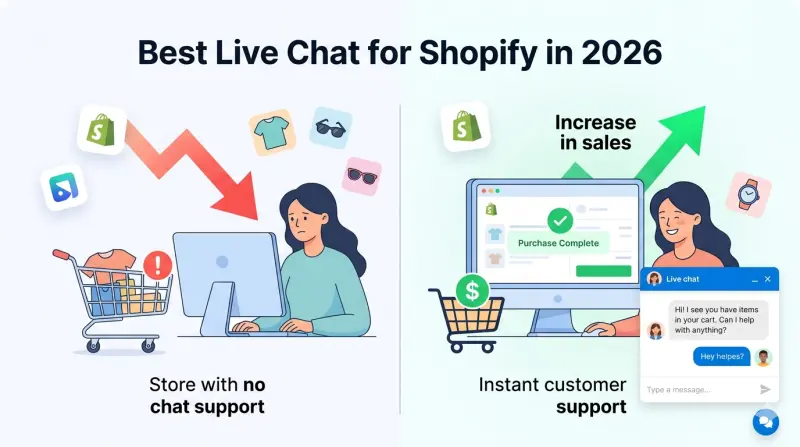
Best Live Chat for Shopify Stores in 2026 (Free & Paid)
Adding live chat to your Shopify store is one of the highest-ROI moves an e-commerce brand can make. Studies consistently show that visitors who engage with chat are 3–5x more likely to convert than those who don't. But with dozens of apps in the Shopify App Store, choosing the right one is anything but straightforward.
This guide cuts through the noise. We'll look at why AI-powered live chat is now the gold standard for e-commerce, compare the most popular options available in 2026, and walk through exactly how to set up Qply on your Shopify store — in under 10 minutes, no developer required.
Why Shopify Stores Need Live Chat in 2026
Shoppers are more impatient than ever. The average e-commerce session lasts under 3 minutes, and if a visitor can't find the answer to "Does this come in size L?" or "When will my order arrive?" they'll bounce — often to a competitor. Live chat closes that gap instantly.
But here's the problem with traditional live chat: it requires a human to be available 24/7. For most Shopify merchants — especially those running lean teams — that's simply not realistic. That's where AI-powered live chat changes the game. A well-trained AI widget can handle most repetitive questions automatically, around the clock, while seamlessly escalating complex issues to a real agent when needed.
A good time to engage a visitor via chat is within the first 30 seconds of them landing on a product page. Configure your chat widget to trigger a proactive message on high-intent pages like /cart or /products/* to help shoppers at the critical moment.
What to Look for in a Shopify Live Chat App
Before comparing tools, here's a quick checklist of features that actually matter for Shopify merchants:
- Shopify order data integration — Can the bot look up order status, tracking info, and customer history automatically?
- AI / automation — Does it answer FAQs without human involvement?
- Mobile-friendly widget — Over 60% of Shopify traffic is mobile. The chat UI must be responsive.
- Lightweight embed — Heavy chat scripts slow your store and hurt Core Web Vitals scores.
- Customization — Can you match the widget to your brand colors and tone of voice?
- Pricing that scales — Many tools charge per seat or per conversation, which gets expensive fast.
The Top Live Chat Options for Shopify in 2026
1. Qply — Best AI-Powered Chat for Shopify
Qply is purpose-built for lean teams that want AI to do the heavy lifting. You paste a single script tag into your Shopify theme, train the bot on your product catalog and FAQs, and it starts answering questions immediately. The AI uses retrieval-augmented generation (RAG) to pull accurate answers from your knowledge base — so it never hallucinates your return policy or shipping times.
Qply stands out for its flat-rate pricing, pixel-perfect widget customization, and a dashboard that shows you exactly what customers are asking. It's the top choice for stores that want enterprise-level AI without enterprise-level cost.
2. Tidio
Tidio has a solid free tier and a decent chatbot builder. It's a good starting point for very small stores, but the AI features are fairly basic — rule-based flows rather than true natural language understanding. As your catalog grows, you'll hit the limits of what Tidio's bots can handle.
3. Gorgias
Gorgias is the go-to helpdesk for high-volume Shopify brands. It has deep Shopify integrations and solid macros for support agents. The downside: it's priced per ticket, so costs balloon during sales seasons. It's also primarily a helpdesk, not a chat-first tool — the widget experience is secondary.
4. Re:amaze
Re:amaze is a multi-channel support platform with chat included. It's reasonably priced and has good Shopify data access. The interface can feel cluttered, and the AI automation requires significant setup time to configure properly.
5. Shopify Inbox (Free)
Shopify's own chat tool is completely free and integrates natively with your store. It's a great starting point — but it's entirely human-operated. There's no AI, no automation, and no after-hours coverage. Fine for stores with a small order volume and a dedicated support person, but it won't scale.
| Tool | AI / Automation | Free Plan | Flat Pricing | Best For |
|---|---|---|---|---|
| Qply | Yes (RAG AI) | Yes | Yes | Growing stores wanting AI |
| Tidio | Basic rules | Yes | No | Micro stores |
| Gorgias | Yes | No | Per ticket | High-volume helpdesk |
| Re:amaze | Limited | No | Per seat | Multi-channel teams |
| Shopify Inbox | No | Yes | Free | Tiny stores, manual only |
Don't pick a live chat tool based on features alone — test the widget load time on a mobile device on a 4G connection. A chat widget that adds more than 200ms to your LCP score will cost you more in lost conversions than it saves in support time.
How to Add Qply Live Chat to Your Shopify Store
Getting Qply live on Shopify takes less than 10 minutes — see our full Shopify live chat plugin guide for screenshots and platform-specific tips. Here's the step-by-step:
- Sign up at app.qply.io/signup — the 14-day free trial covers you to start.
- In your Qply dashboard, go to Settings → Widget and copy your embed script (it looks like
<script src="..."></script>). - In your Shopify admin, navigate to Online Store → Themes → Edit code.
- Open the
theme.liquidfile and paste the Qply script just before the closing</body>tag. - Save and preview your store — the chat widget will appear immediately.
- Back in Qply, go to Knowledge Base and add your FAQs, product details, shipping policy, and return policy. The AI will use these to answer customer questions automatically.
After adding the script, test it on both desktop and mobile. Use Shopify's built-in mobile preview in the theme editor to confirm the widget doesn't overlap your Add-to-Cart button on small screens. Qply's widget is responsive by default, but you can fine-tune the position offset in your dashboard under Widget → Position.
AI Live Chat vs. Traditional Chat: The E-commerce Case
The most common objection we hear from Shopify merchants is: "Our customers want to talk to a real person." That's absolutely true for complex issues — a damaged item, a billing dispute, a personalized recommendation. But consider what your support team actually spends most of their time answering: "Where's my order?", "What's your return policy?", "Do you ship internationally?"
These are questions your AI can answer instantly, at 3 AM on a Sunday, in any language, with perfect accuracy — as long as you've given it the right knowledge base. Learn how AI live chat can cut your support tickets by 80% while keeping human agents focused on the conversations that actually need them.
Does Shopify Have Built-In Live Chat?
Shopify has a free native chat tool called Shopify Inbox. It lets you receive and reply to customer messages from your Shopify admin and mobile app. However, Shopify Inbox is human-only — there is no AI, no automation, and no after-hours coverage. If no one is online, messages queue up unanswered until a team member responds.
For most growing stores, Shopify Inbox works as a starting point but quickly becomes a bottleneck. The moment you're handling more than 20–30 conversations a day, or running a store that gets traffic outside business hours, you'll want a dedicated live chat tool with AI built in — like Qply.
Free Live Chat Options for Shopify
If you're just starting out or testing the waters, there are solid free options for adding live chat to your Shopify store:
- Shopify Inbox — Built into Shopify, zero cost, but no AI. Best for stores with very low message volume and a dedicated team member monitoring chat during business hours.
- Tidio free plan — 50 conversations/month free, includes a basic chatbot builder. Good for early-stage stores that want some automation without paying.
- tawk.to — Completely free, unlimited agents, no conversation limits. Pure human chat — no AI. Installs on Shopify via a script tag in under 2 minutes.
- Crisp free plan — 2 agents, unlimited conversations, clean widget. No AI on the free tier, but a solid starting point for small teams.
- Qply 14-day trial — Full AI included from day one. $12/month after the trial — no per-conversation fees, no seat limits.
Free live chat tools that require a human to be online cost you in a different way — every unanswered chat after hours is a potential lost sale. For e-commerce stores with global traffic, an AI-powered tool that responds instantly at 2 AM pays for itself quickly.
Shopify Live Chat as a Plugin or Extension
All of the tools above work as Shopify live chat plugins or extensions — they install via a script tag added to your theme.liquid file (or via the Shopify App Store for tools with native integrations). There's no technical complexity involved:
- Via theme.liquid (works for any tool): Online Store → Themes → Edit Code → theme.liquid → paste script before
</body> - Via Shopify App Store: Search for the app, click Install, follow the on-screen steps
- Via Shopify theme settings: Some tools support a one-click embed from your theme customizer
Qply installs via theme.liquid in under 5 minutes and does not require Shopify App Store approval, which means faster setup and no dependency on Shopify's app review cycle.
Shopify Live Chat: Full Tool Comparison
| Tool | Starting price | AI included | Free option | Shopify install |
|---|---|---|---|---|
| Qply | $12/month | Yes (full) | 14-day trial | Script tag |
| Shopify Inbox | Free | No | Always free | Native |
| Tidio | ~$29/month | Capped | 50 chats/mo | App Store |
| Gorgias | $10/month | Yes | No | App Store |
| tawk.to | Free | No | Always free | Script tag |
| Re:amaze | $29/agent/mo | Limited | No | App Store |
Final Verdict
For most Shopify merchants in 2026, the ideal live chat setup is an AI-first widget that automates routine questions, hands off to a human when needed, and gives you full visibility into what your customers are struggling with. Qply delivers exactly that — with flat-rate pricing, a lightweight embed that won't slow your store, and an AI that gets smarter the more you train it.
If you're just starting out, Shopify Inbox or tawk.to covers the basics for free. When you're ready for AI that works around the clock, Qply's 14-day trial is the fastest way to see the difference.
Frequently Asked Questions
What is the best live chat app for Shopify?
Qply is the best AI-powered live chat for Shopify in 2026. It installs via a single script tag (no Shopify app store required), auto-replies to customer questions using your product and policy content, and charges a flat monthly rate starting at $12 — no per-seat or per-conversation fees.
Is there a free live chat for Shopify?
Yes. Shopify Inbox is Shopify's own free live chat tool — basic but functional for human-only chat. Tidio and Crisp also offer free tiers. For AI auto-answering, Qply offers a 14-day free trial starting at $12/month.
How do I add live chat to my Shopify store?
The fastest method: go to Online Store → Themes → Edit Code → theme.liquid, and paste your chat widget script just before the closing </body> tag. With Qply, the entire process takes under 5 minutes with no developer needed.
Does Shopify have live chat built in?
Yes — Shopify Inbox is Shopify's free native chat tool. It lets your team chat with customers in real time but has no AI, no automation, and no after-hours coverage. For AI that answers questions 24/7, you need a third-party tool like Qply installed via your theme.liquid file.
What is the best Shopify live chat plugin or extension?
Qply is the best Shopify live chat plugin for stores that want AI auto-answering. It installs via a script tag in theme.liquid (no App Store required), includes AI trained on your product content, and charges a flat $12/month — no per-conversation fees. For a free plugin, Tidio or tawk.to both install on Shopify with no cost.
Will live chat slow down my Shopify store?
A properly built widget loads asynchronously after the page renders and does not block your store's LCP or Core Web Vitals. Qply's widget is lightweight (under 15KB) and has no measurable impact on Shopify page speed scores.
Can live chat increase Shopify sales?
Yes. Engaging a visitor with chat before they leave can increase conversion rates by 20–40%. AI chat that answers product questions instantly — size guides, shipping times, return policies — reduces abandonment and gives shoppers the confidence to buy.
Add AI live chat to your Shopify store today
Set up in under 10 minutes. No developer needed. Free plan available.
Start 14-day free trial →