 Qply
Qply
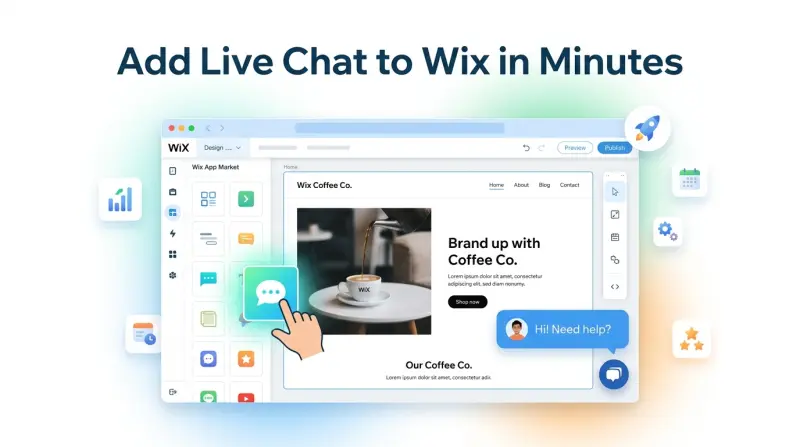
5 Best Live Chat Apps for Wix Websites in 2026 (Free & Paid)
Wix powers millions of websites — from small business storefronts and portfolio sites to online stores and booking pages. If you've built your site on Wix, you've probably noticed that visitors come and go without converting, and a lot of questions go unanswered. Live chat for Wix is one of the highest-ROI additions you can make to your site, but the options can feel overwhelming.
This guide breaks down the 5 best live chat apps for Wix websites in 2026 — covering free tools, AI-powered options, and everything in between. We'll also walk you through the exact steps to add Qply to your Wix site in under five minutes.
Why Add Live Chat to Your Wix Website?
Wix makes it easy to build a professional-looking website, but it doesn't solve the fundamental problem that most visitors leave without taking action. Research consistently shows that websites with live chat convert at 2–3x the rate of those without it. Here's why adding live chat to Wix is worth the effort:
- Immediate answers reduce bounce rate. A visitor with a question will leave if they can't find the answer fast. A chat widget gives them an instant outlet — and keeps them on the page.
- AI chat handles FAQs 24/7. You can't be online all the time, but an AI-powered chat tool can answer your top 20 questions around the clock without your involvement.
- Off-hours coverage. Even when no one is available to chat, a well-configured widget can answer common questions and let an interested visitor share their email if they'd like a follow-up — turning a missed conversation into a warm prospect.
- It signals professionalism. A branded, responsive chat widget tells visitors your business is accessible and responsive, which builds trust before a purchase decision.
Wix has its own built-in "Wix Chat" feature available in the App Market. It's a basic human-only inbox — useful for very simple sites, but it has no AI, no automation, and no integration with external tools. For anything beyond manual monitoring, a dedicated live chat app is the better choice.
5 Best Live Chat Apps for Wix in 2026
1. Qply — Best AI-Powered Live Chat for Wix (Top Pick)
Qply is purpose-built for businesses that want AI to handle the heavy lifting. You train it on your FAQs, product pages, or documentation, and it automatically answers questions from your Wix visitors — accurately and instantly, day or night. When a question is too complex, it escalates seamlessly to a human agent.
What makes Qply a strong fit for Wix is the combination of genuinely useful AI, a lightweight embed script, deep widget customization (colors, position, welcome message), and flat-rate pricing with no per-seat or per-conversation surprises. The install process for Wix takes about three minutes using the HTML embed method — no App Market required.
- RAG-powered AI answers questions automatically
- Works on Wix via simple HTML embed
- Flat-rate pricing — no usage fees
- Customizable widget to match your Wix theme
- Human escalation and agent inbox included
- Not available in Wix App Market (yet)
- Fewer native third-party integrations than older tools
2. Tidio — Best All-in-One Option for Wix Stores
Tidio is one of the most popular live chat tools among Wix users, and for good reason. It has a dedicated Wix App Market listing, which means installation is one click. Tidio offers both live chat and a chatbot builder, and their "Lyro" AI assistant can handle a reasonable volume of customer queries on autopilot. The free plan is functional, though Lyro AI conversations are capped at a low limit before you need to upgrade.
- One-click install from Wix App Market
- Solid chatbot builder with visual flow editor
- Free plan available
- Email marketing integration built in
- Lyro AI conversations limited on lower plans
- Costs rise quickly as you scale
- Some features feel gated behind upsells
3. Crisp — Best Free Live Chat for Wix
Crisp offers one of the most generous free plans in the live chat space — up to 2 agents with unlimited conversations. If you're running a small Wix site and primarily want a human chat inbox, Crisp is hard to beat at zero cost. The widget is clean, the mobile app is reliable, and setup on Wix is straightforward via the HTML embed method. The AI features are limited on the free plan, but as a human-first chat tool, it performs well.
- Genuinely useful free tier (2 agents, unlimited chats)
- Clean, intuitive interface
- Good mobile apps for iOS and Android
- Very limited AI on free plan
- Pricing jumps sharply past 2 agents
- Basic analytics and reporting
4. Tawk.to — Best Completely Free Option
Tawk.to is 100% free — no catch, no expiring trial, no feature gating. It's a pure human-operated chat tool: you monitor your Wix website and reply to visitors in real time. There's no AI, no automation, and no chatbot — but the widget is lightweight, setup is simple, and if you're willing to be available to chat yourself, it costs nothing. Ideal for freelancers and solopreneurs who want a chat presence without a budget.
- Free forever — no paid plans needed
- Lightweight widget, fast load time
- Simple, clean operator dashboard
- No AI or automation whatsoever
- Requires a human operator to be effective
- Minimal customization options
5. Smartsupp — Best for Visitor Recording + Chat
Smartsupp combines live chat with session recording, which makes it uniquely useful for Wix site owners who want to understand visitor behavior alongside conversations. You can watch replays of how visitors navigated your site before reaching out, giving you context no other chat tool provides at this price point. The chatbot builder is basic but functional. The free plan includes limited recordings and one agent seat.
- Session recording is a unique differentiator
- Free plan available
- Easy Wix setup via HTML embed
- Basic chatbot — no real AI
- Recordings limited on free plan
- Smaller ecosystem than Tidio or Crisp
How to Add Live Chat to Wix: Step-by-Step (Qply)
Adding Qply to your Wix website is straightforward — Wix supports HTML embeds through its built-in "Embed a Widget" block, which lets you paste any third-party script directly onto your pages. Here's how to do it:
- Sign up for Qply at qply.io/app/signup. Create your workspace and complete the short onboarding — it takes about 2 minutes.
- Copy your embed script. In the Qply dashboard, go to Settings → Widget → Install. Copy the one-line
<script>snippet shown there. - Open your Wix Editor. Log in to Wix and open the site you want to add chat to. Click Edit Site.
- Add an HTML Embed block. In the left toolbar, click the + (Add Elements) button, then navigate to Embed Code → Embed HTML. Drag the block onto your page — the exact position on the canvas doesn't matter, as the chat widget will anchor itself to the bottom corner of the browser window.
- Paste your Qply script. Double-click the HTML block to open the editor. Paste your Qply
<script>snippet and click Update. - Publish your site. Click Publish in the top-right corner of the Wix Editor. Your live chat widget will now appear on your live site.
- Train your AI. Back in the Qply dashboard, go to Knowledge Base and add your FAQs, product descriptions, or paste your website URL for automatic import. The more context you give it, the better the answers.
To show the Qply widget on every page of your Wix site (not just one), add the HTML embed to your site's Header or use the Wix Velo custom code injection under Settings → Custom Code. This ensures the chat widget loads globally without repeating the embed on each page.
Choosing the Right Live Chat Tool for Your Wix Site
The right choice depends on your business size and what you need most:
- Solo operator or very small team with zero budget: Tawk.to or Crisp free tier are your best bets. Simple, free, and reliable.
- Small business wanting AI without complexity: Qply. Set it up in minutes, train it on your FAQs, and let it handle queries automatically while you focus on running your business.
- Wix store needing chatbot flows and email marketing: Tidio integrates with Wix from the App Market and gives you a visual chatbot builder alongside email campaigns.
- Site owner who wants behavioral data alongside chat: Smartsupp's session recording makes it a compelling two-in-one option.
For a deeper look at how AI-powered chat compares to traditional human-only live chat, see our article on AI chatbot vs live chat — it breaks down exactly when each approach is the right choice.
Chat widgets load asynchronously, so they shouldn't affect your Wix site's core load time. That said, lightweight scripts (like Qply) are always preferable to heavy ones. If your Wix site uses a lot of apps and embeds already, test your page speed with Google PageSpeed Insights after adding any chat widget to confirm the impact is negligible.
The Bottom Line
Adding live chat to your Wix website is one of the fastest ways to increase engagement and conversions. Whether you choose a free tool like Tawk.to for simple human monitoring, or an AI-powered platform like Qply to automate your support 24/7, the key is getting something in place and iterating from there.
If you want the best mix of ease of setup, AI capability, and honest pricing for a Wix site, Qply is our clear recommendation. You can have it running in under five minutes and answering your customers' questions automatically by the end of the day.
Ready to learn more about what well-configured AI chat can do for your business? Read our guide on how to reduce support tickets with AI to see real-world results before you commit.
Frequently Asked Questions
Does Wix have built-in live chat?
Wix has a basic native chat called Wix Chat, but it's human-only with no AI, no automation, and limited reporting. For AI-powered live chat that answers questions automatically 24/7, you need a third-party tool like Qply installed via a custom HTML embed or the Wix App Market.
What is the best live chat app for Wix?
Qply is the best AI-powered live chat for Wix in 2026 — flat-rate pricing from $12/month, AI trained on your content, and a 5-minute setup via custom HTML embed. For completely free human-only chat, tawk.to is the strongest option with unlimited agents and no cost.
How do I add live chat to my Wix website?
In your Wix Editor: Add → Embed → Custom Embeds → Embed a Widget. Paste your live chat script tag into the HTML box and publish. With Qply, you can also find it in the Wix App Market. The whole setup takes under 5 minutes — no coding required.
Is there a free live chat for Wix?
Yes. tawk.to is completely free with unlimited agents. Crisp offers a free plan for 2 agents. Wix's own native chat is also free but very basic. None include AI auto-answering on the free tier — for that, Qply's 14-day trial is your best starting point.
Will live chat slow down my Wix site?
A good widget loads asynchronously after your page content and has no measurable impact on speed. Qply's widget is under 15KB, fully async, and does not affect your Wix Lighthouse score or Core Web Vitals.
Add AI live chat to your Wix site today
Set up in 5 minutes. No coding. No per-conversation fees. Just answers.
Start 14-day free trial →